API Key Protection Extension
Open in App
This is API Key Protection Extension for your Android Apps. Using this extension you can secure your any type of api keys like – Airtable Database API , Mysql Database API, Firebase Url or Bucket Name , Onesignal Rest API or any types other keys. Now this extension has also check SHA1 key to verify app signature and used native library to make more secure your API Key.
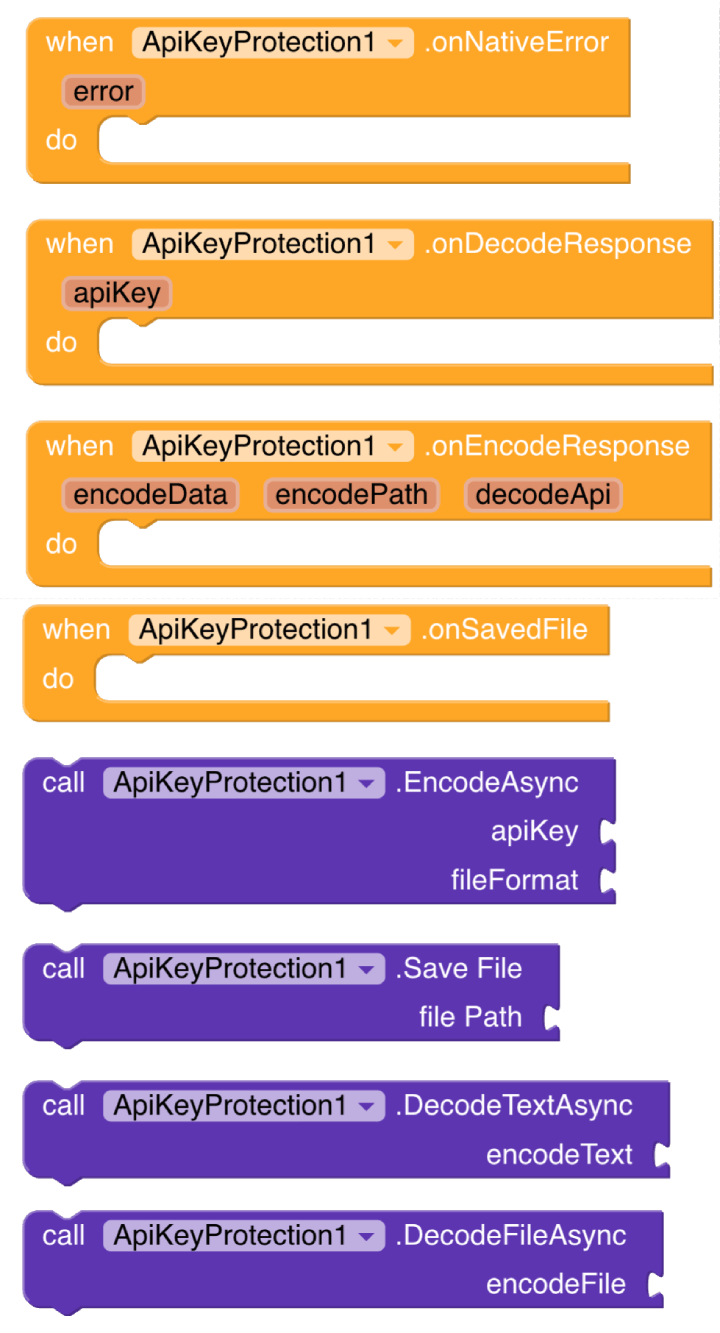
Using this extension you can ganarate your API key into a encrypted file.
Simple Block Setup :

Before generate your encode file you need to build app and install, then your can generate your encode file and saved.
Note : This is optional but if your want to use also native library to make more secure then before generate your encode file you need to add native library files in your app and you need to sign your app with your SHA1 keystore file. After complete this process you can install your app and generate your encode file and saved.
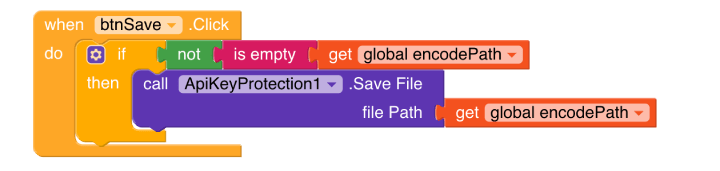

After generate your encode file you need to import this file in your project assets. then you can setup blocks for decode the encode file and build your app again.
Note : This is optional but if your have used native library to encode api then before decode your encode file you need to add native library files in your app and you need to sign your app with your SHA1 keystore file. After complete this process you can install your app and decode your encode file in your app.
Firebase database rules examples for custom api key buckets :
{
  "rules":{
   "custom-api-key-bucket1":{
     "$custom-api-bucket1":{
        ".read": true,
        ".write": false
     }
   },
   "custom-api-key-bucket2":{
     "$custom-api-key-bucket2":{
        ".read": true,
        ".write": true
     }
   }
  }
}
Sample Firebase Database Request URL :
https://test-project.firebaseio.com/custom-api-key-bucket1/data/value.json
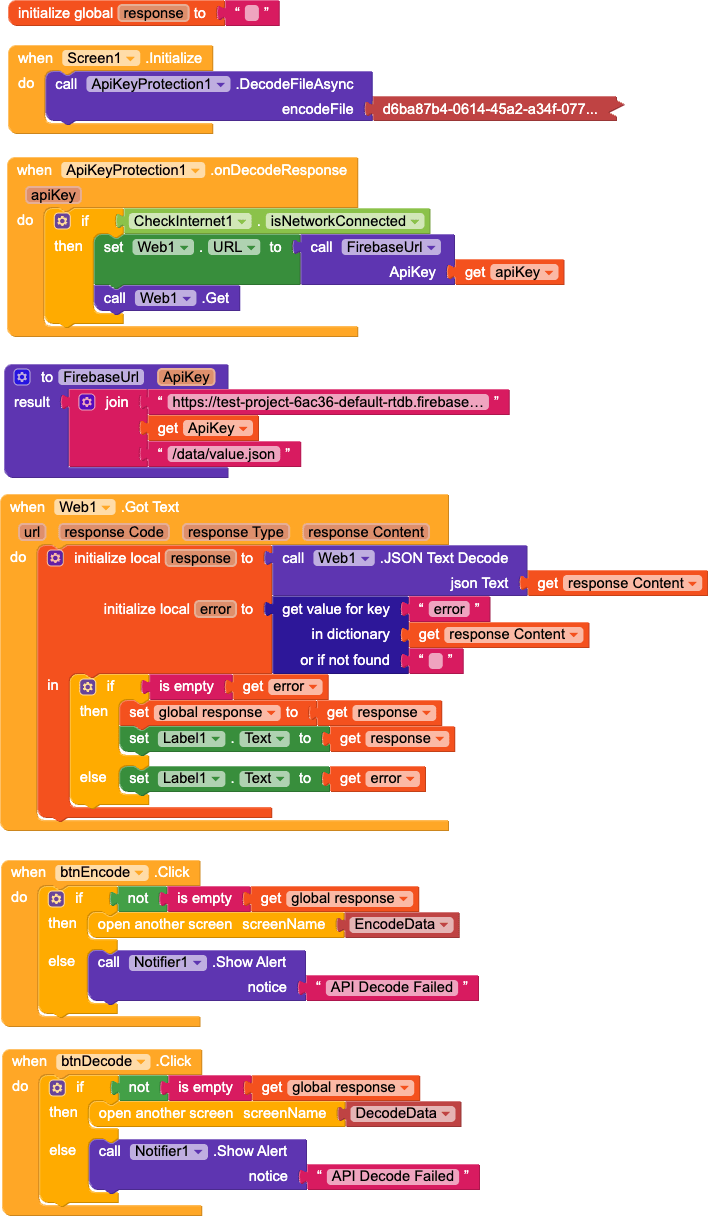
Decode API from assets file and request to firebase database demo blocks :
Trial Extension and Demo AIA File :
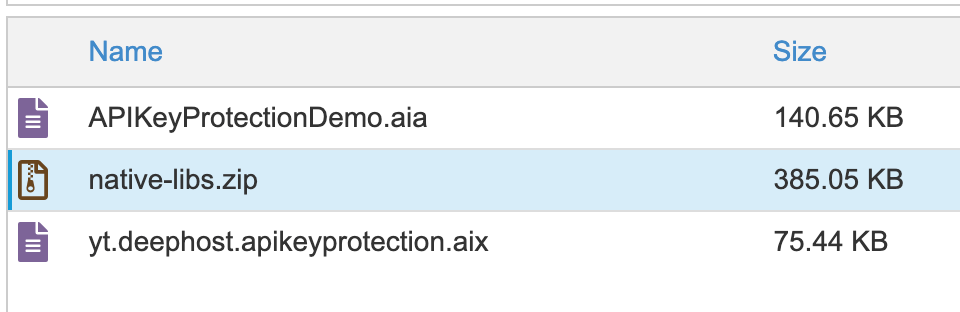
Inside the trial extension and aia file zip you will got also native-libs.zip file. you can extract this zip file and add in your app.
Note : This is optional to add native library in your app, But you much be try to add this feature before releasing your app to make more secure you can use Native Libs Manager App to build AAB file with native libs.
You can download this extension licence from deephost app.